
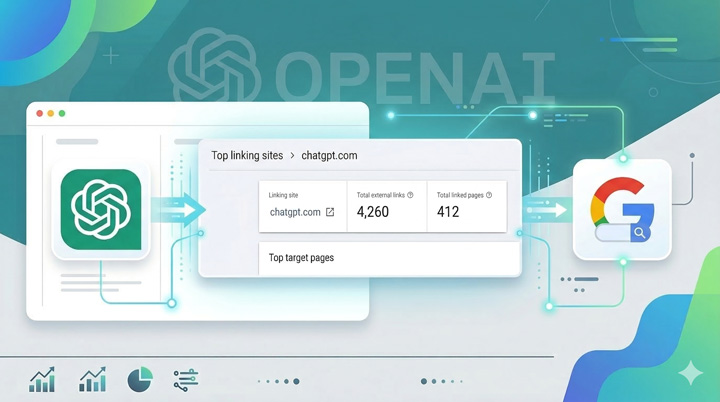
There are many AI prompt tracking tools on the market now. Some of those tools track prompts that you enter, while others generate prompts based on the topic at hand. Many of those prompts are not from real people… Instead, they are synthetic prompts. And that questions the power of tracking those prompts at all. In other words, does it give you a real-world view of what’s happening in AI Search tools like ChatGPT, Perplexity, Gemini, Copilot, and Claude?
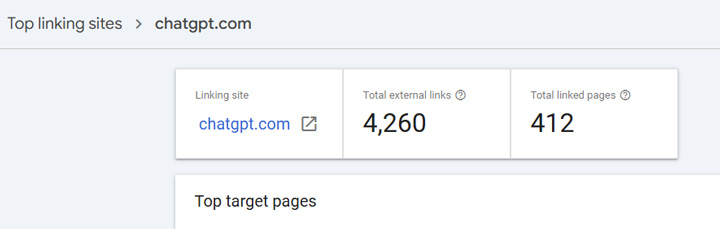
Well, I was recently auditing a large-scale site and digging into GSC as part of the initial analysis. I hit the links reporting in Search Console, which can sometimes yield interesting findings… After scanning the top linking domains, I noticed a very interesting site. It was ChatGPT. My first reaction was, wait, why in the world is that there? But it all made sense once I clicked into the listing to view the links pointing at my client’s site. They were shared chats.
Real conversations from real people (with citations linking to your website):
Anyone using ChatGPT can share conversations with other people. And when they do, the conversation up to that point is captured. That includes the questions, responses, and the citations. And it’s real conversations, real prompts, and from real people.
Yes, this is AI Search gold.
Checking GSC Properties At The Speed of AI:
I immediately started checking the links reporting for other clients, and yep, ChatGPT was there for a number of them. And digging into those links revealed some powerful real conversations with answers citing their content. From an AI research perspective, this is incredible data for site owners to review. Note, I’m not saying all sites will have links from shared ChatGPT conversations, but many do. And some have MANY links.
Note, if you have directory properties set up, which you should, then check those as well. I’ve had clients check their domain property or https www property and not see ChatGPT there, but they do see it when checking specific directories.
For example, there are some clients of mine with thousands of links from ChatGPT shared conversations.
How site owners can use shared ChatGPT conversations:
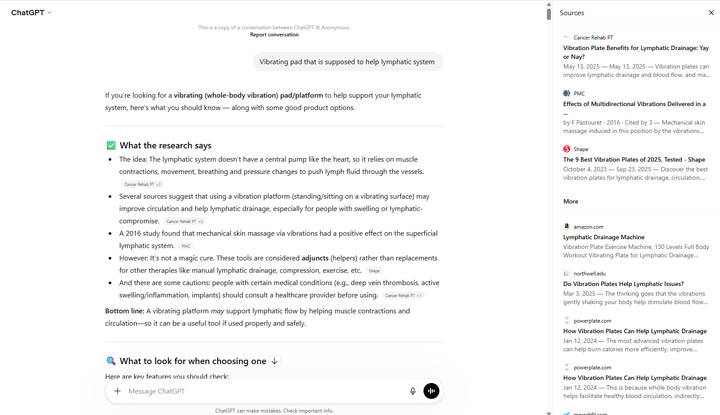
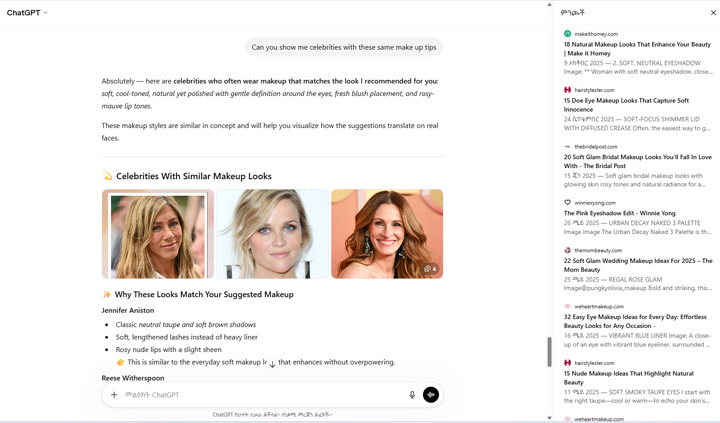
If you are lucky enough to have links from shared ChatGPT conversations, then I recommend digging into those conversations to understand the prompts users are employing, the follow-up questions they are asking, and viewing the citations to understand which sites are being cited by ChatGPT.
Then you should review your content to make sure you are covering the topic thoroughly, to make sure the content can meet or exceed user expectations, and can yield happy users. By the way, there were some conversations I viewed that had a number of follow-up questions (spanning topics). So for some conversations, it’s like you have an AI version of ‘People Also Ask’ but from real ChatGPT conversations that cite your content.
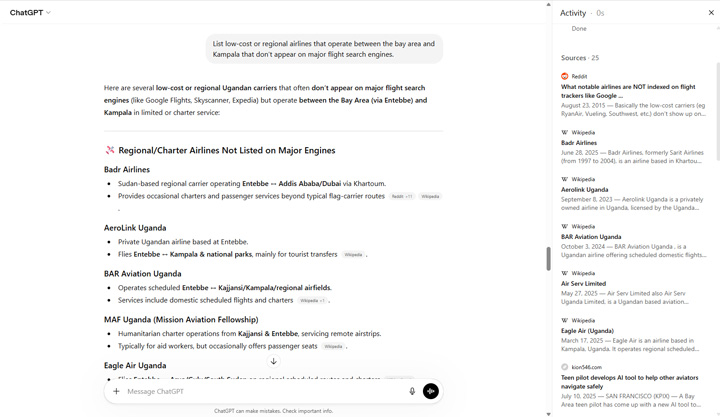
Here are a few examples, starting with health:
Next, up an example focused on the beauty vertical. Note, this was a long thread with a number prompts:
And one more example, this time focused on travel:
Important information about ChatGPT shared conversations:
I wanted to provide some quick points about shared conversations since I’m sure some people are freaking out that some of their own conversations are publicly available. Note, you can view more information about shared conversations in OpenAI’s help documentation.
Here are some quick bullets:
- Shared conversations are noindexed so they will not be indexed by search engines like Google. Also, “noindex, nofollow” is used for the pages so the links would not pass any signals even if they were indexed.
- You are not identified in a ChatGPT shared conversation unless you mention yourself (which most people wouldn’t do).
- When you share a conversation, it’s sharing the conversation up to that point. If you ask more questions, those won’t be included in the share. But also keep in mind that all questions up to that point will be shared. So if you have a long thread, that will all be shared.
- You can access your shared conversations in the settings within your account. You can view those conversations and delete them if needed.
- If someone adds to the shared conversation, then it will be saved in their own archive of chats. Their additions will not become part of the original share, though. And even if the original shared conversation is deleted, the new chat will be saved with all of the original information.
Summary: Go find those shared ChatGPT conversations now.
I have no idea if the links will remain in GSC so I would move quickly to review the shared ChatGPT conversations that cite your content. Like I said earlier, it’s AI Search gold. Again, these are real conversations from real people and not synthetic prompts. So check your GSC properties, including directory properties, to see if ChatGPT shared conversations are there. Good luck.
GG