
“Ask Maps” is like having AI Mode in Google Maps. You can now have conversations with Maps to plan trips, research local businesses, and much more.
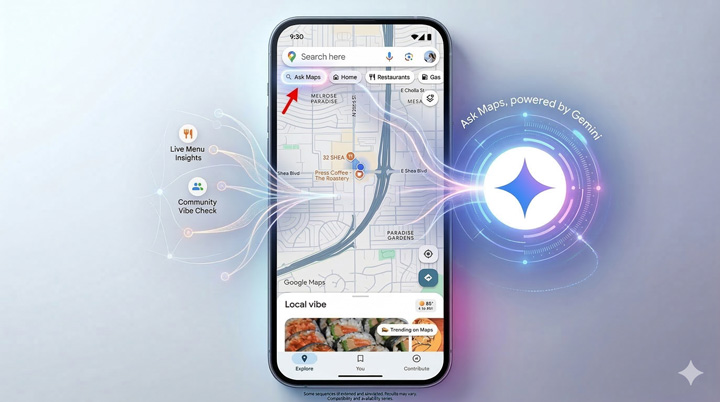
Google just announced out a new and powerful feature in Google Maps called “Ask Maps”. I’ve had access to the feature for the past week and have been heavily testing it across searches. Note, I’m part of the Gemini early access program where I can test new features before they are released. Also, I was able to get on a call with people from the Gemini and Maps teams to learn more about “Ask Maps” before I started testing the feature. I’ll cover more about what I learned during that call soon.
“Ask Maps” is a big change in how users can leverage Gemini in Google Maps and the results are much richer, more helpful, and conversational. It’s like having AI Mode directly in Google Maps where Gemini can help you plan trips, research places to go, surface things you haven’t thought of, and more.
How “Ask Maps” works:
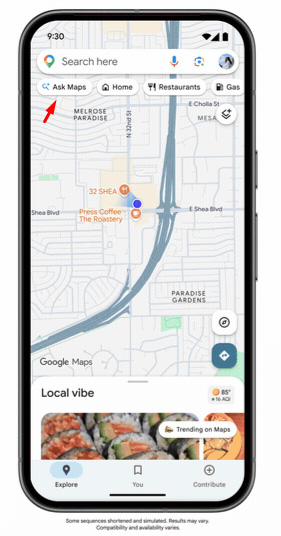
There is a new “Ask Maps” button directly in the Google Maps app underneath the main search bar. When you tap that button, you get a familiar Gemini-like environment enabling you to ask Google maps for help. Once you enter your prompt, Gemini in maps does its thing… The results are a mix of local search, AI Overviews, and maps content all combined together. And for local businesses, it’s important to understand that this is a big change from the standard maps journey that users have experienced for a long time. I’ll cover some tips for site owners later in this article.
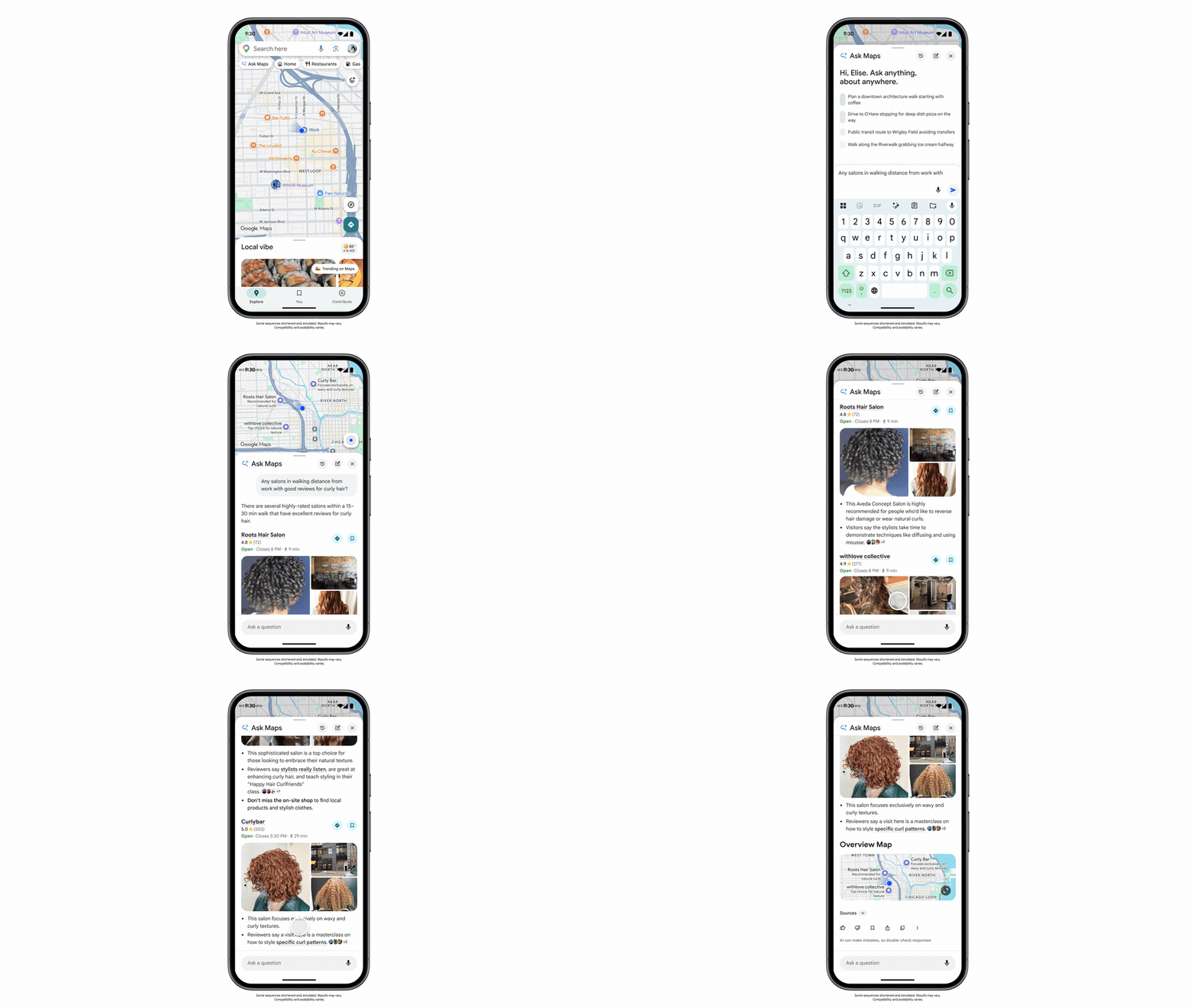
When “Ask Maps” returns results, you will see local listings, an AI overview-like response, links to reviews, links to websites, and more. The results are packed with helpful information. In addition, you can obviously find directions easily based on what you choose to do. Hey, it’s Google Maps… And once you visit a local listing, you will find all of the information you would normally find like menus, reviews, photos, hours, the newish “Know before you go” AI feature with information sourced from reviews, and more. You can also make reservations, order online, etc., like you normally could do.
Here is a quick gif of “Ask Maps” in action. This example was provided by Google. I’ll provide my own examples below covering different types of searches.
“Ask Maps” in action:
As you can imagine, having Gemini in Maps is pretty powerful. Below, I’ll provide several examples of Ask Maps in action across different types of searches. When testing “Ask Maps” I definitely found it powerful. Again, having Gemini directly in Maps for help with planning was great.
Query: Plan out a 3-day getaway to a resort in Scottsdale Arizona including a round of golf. Hey, I can’t go to Scottsdale and not play golf.
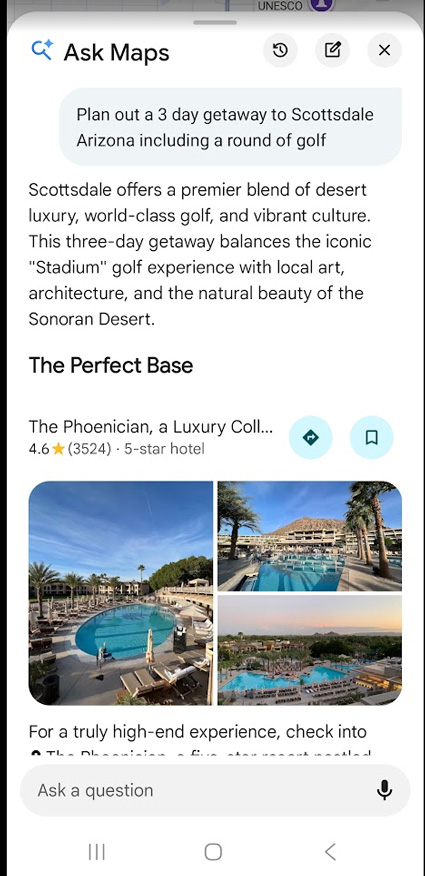
The places underlined in the screenshot below link to their local listings. The pin icon is present for local listings while star icons represent reviews you can trigger. And the clip icon triggers citations so you can find websites where the information was sourced:
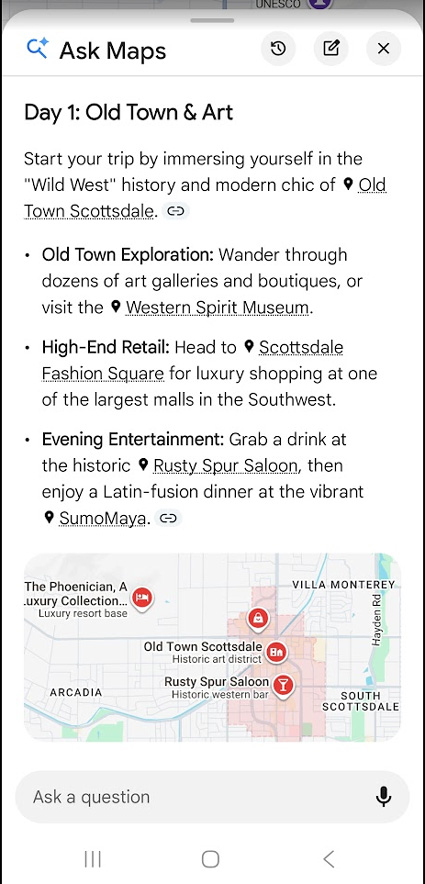
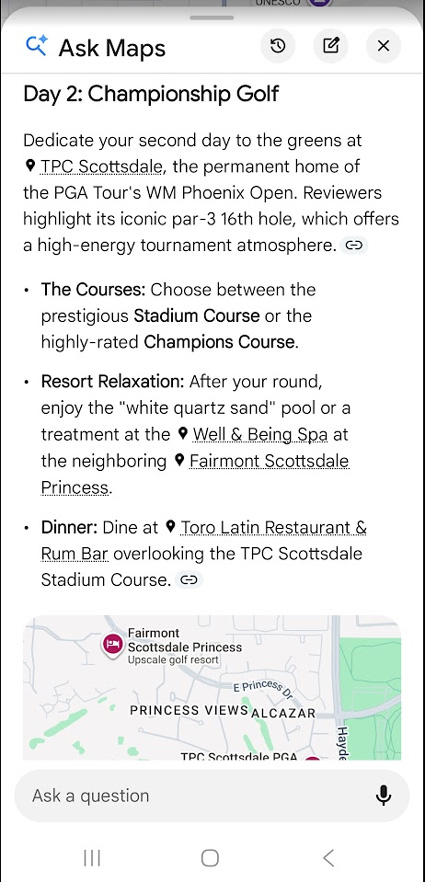
When you tap into a local listing, you can find all of the typical elements you would normally find (including the ability to book reservations):
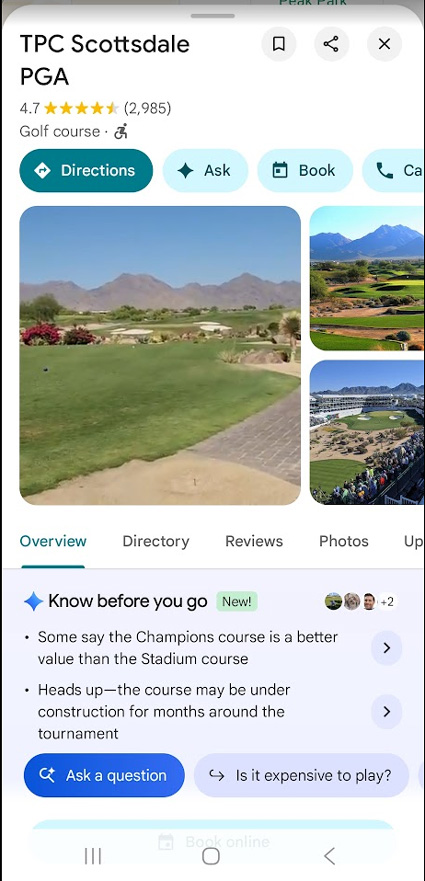
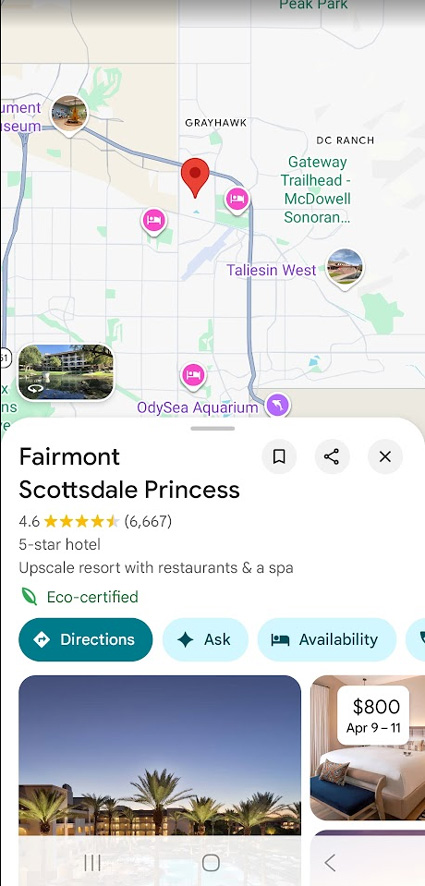
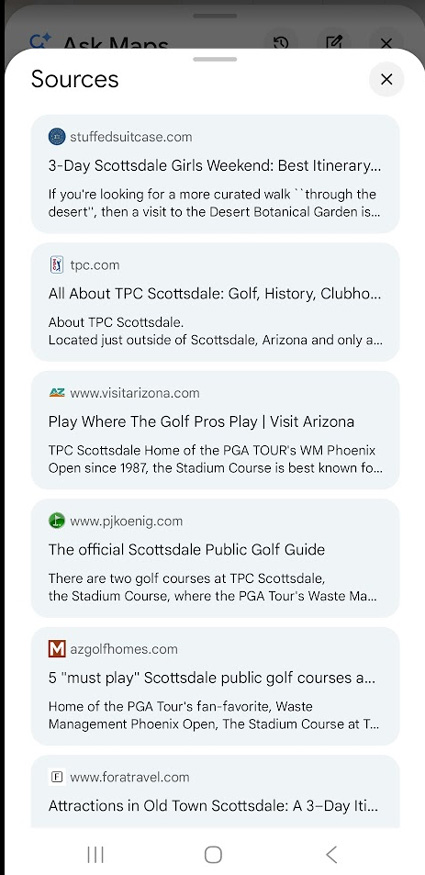
“Ask Maps” also provides AI Overview-like citations so you can visit the websites where the information was sourced:
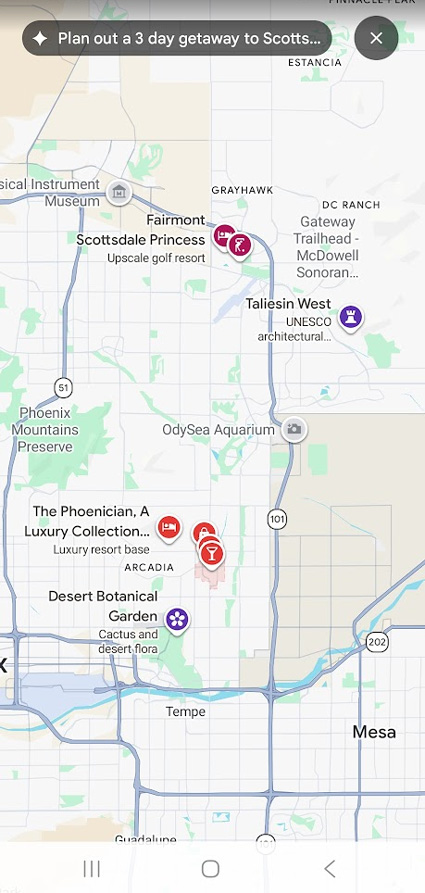
As you would expect, “Ask Maps” organizes the multi-step recommendations in a map so you can easily get directions to each facility:
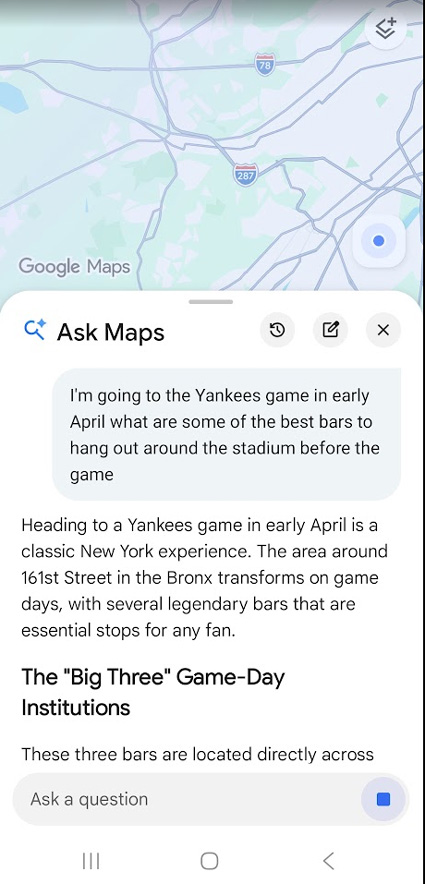
Query: I’m going to a Yankees game in early April. What are some of the best bars to visit around the stadium before the game?
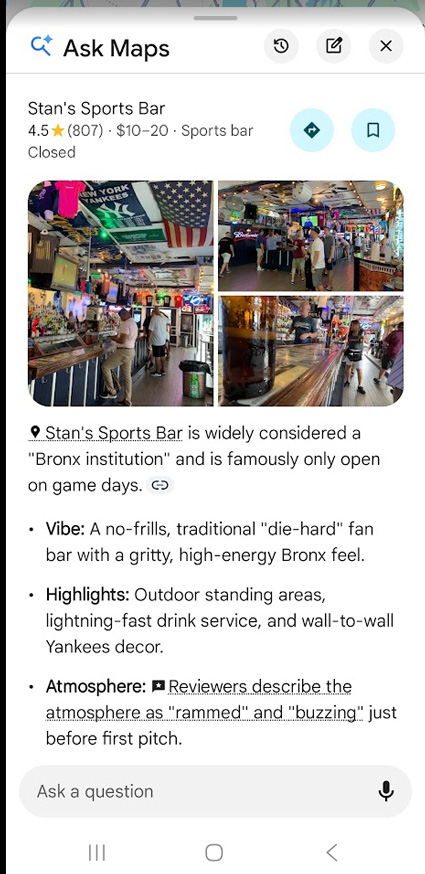
“Ask Maps” provides helpful information about the key bars to attend before games, including vibe, highlights, and atmosphere. Ah, Billy’s and Stan’s. Great choices. :)
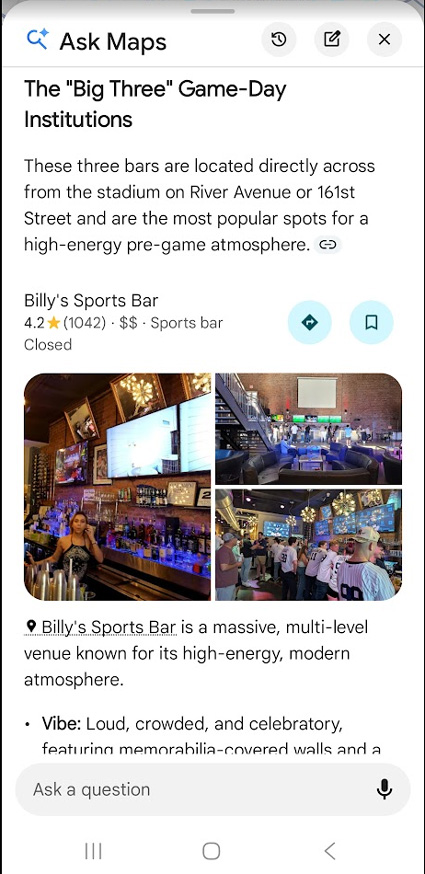
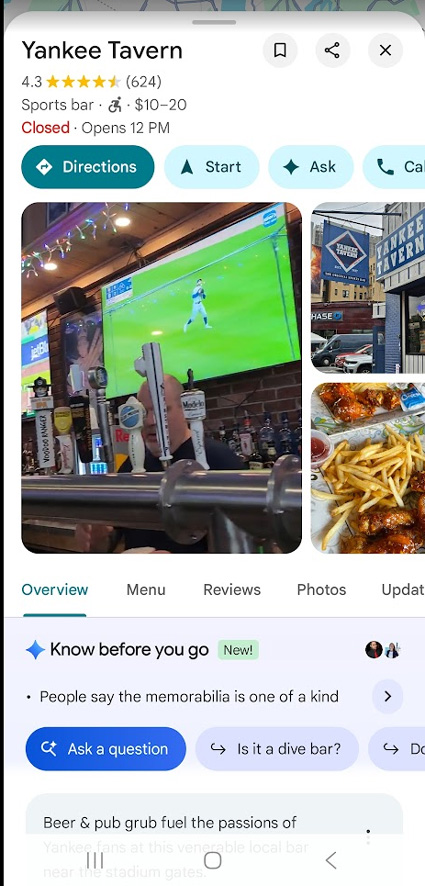
Again, tapping into a local listing surfaces familiar local elements like menus, reviews, photos, directions, etc.
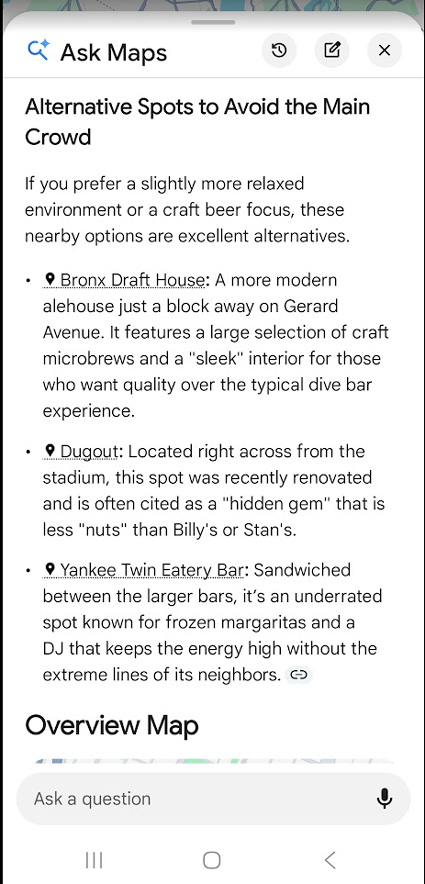
Gemini also provided alternate spots if you want to avoid the large crowds at the core bars:
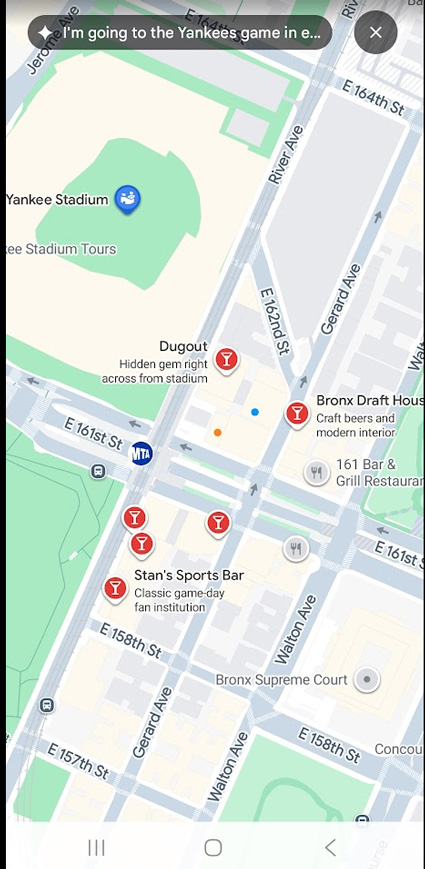
“Ask Maps” provides a map with all of the possibilities, which is super helpful especially if you don’t know the area around the stadium:
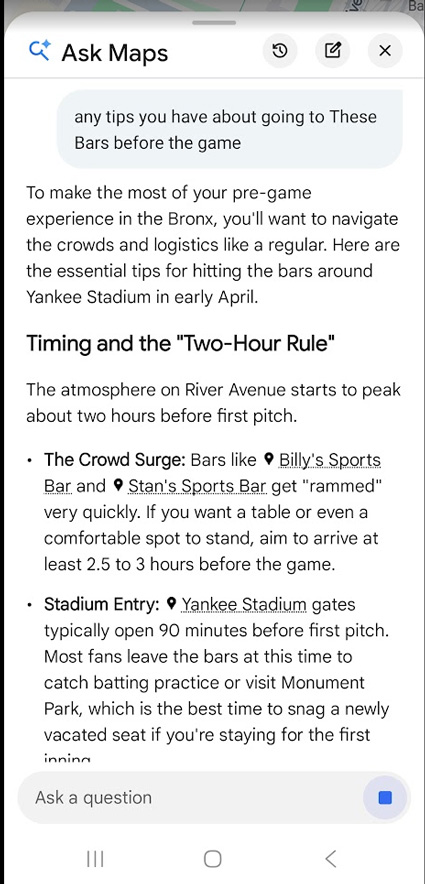
And since “Ask Maps” is conversational, I wanted to get some tips about attending the bars before the game. Gemini provided some additional information:
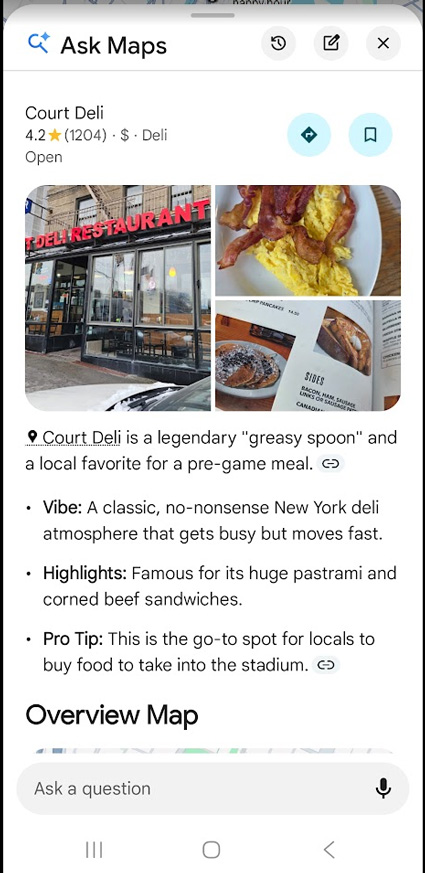
“Ask Maps” even provided information about getting some awesome food from a local Bronx deli before the game. If you haven’t had a huge pastrami sandwich from a New York deli, you need to order one the next time you’re in town.
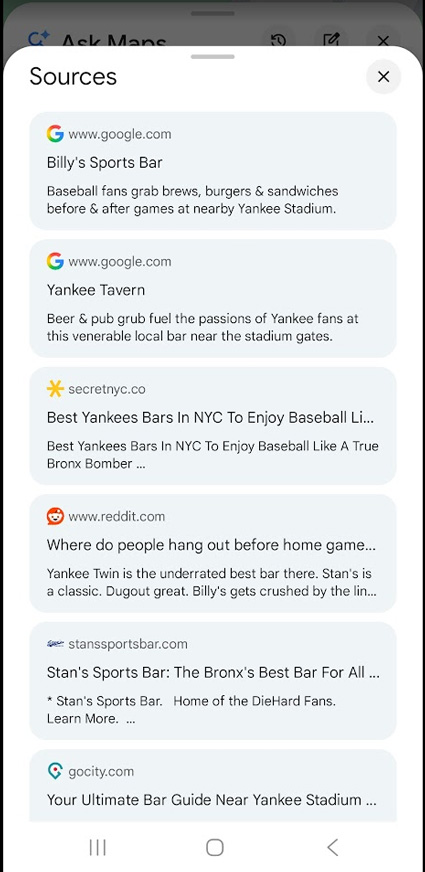
And again, “Ask Maps” provides citations so you can visit the websites where the information was sourced. And sometimes that’s local listings (as you can see with Billy’s and the Yankee Tavern below):
Query: I’m looking for a great coffee shop in Princeton and then a movie theatre nearby.
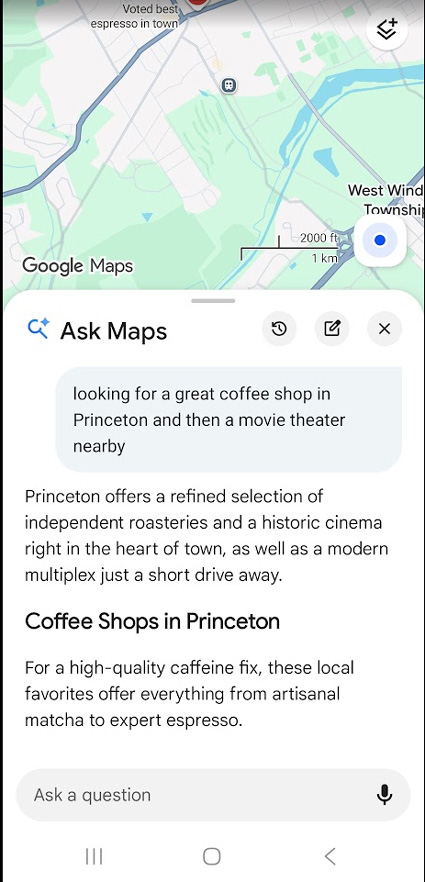
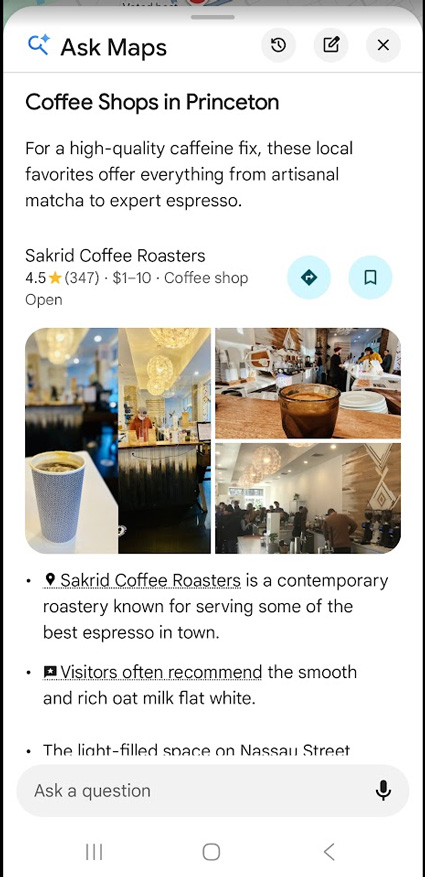
I asked for coffee and then a movie. So “Ask Maps” starts with coffee recommendations in Princeton:
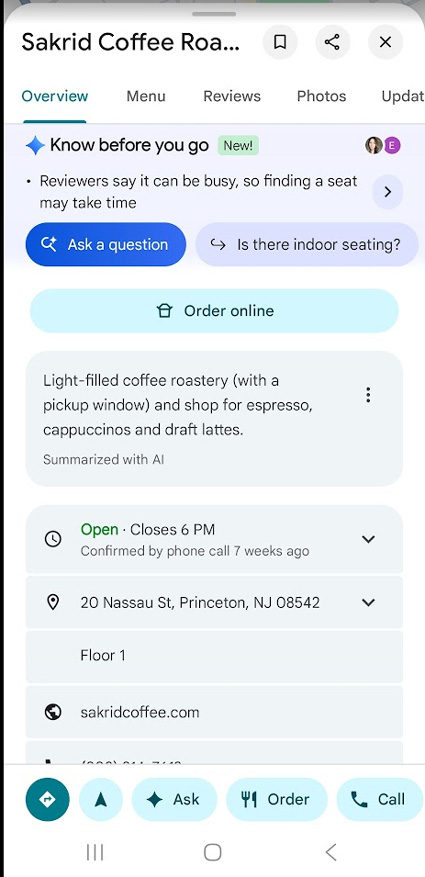
Again, tapping into local listings brings up familiar elements when researching local businesses (including the newish “Know before you go” AI element, which is sourced from user reviews):
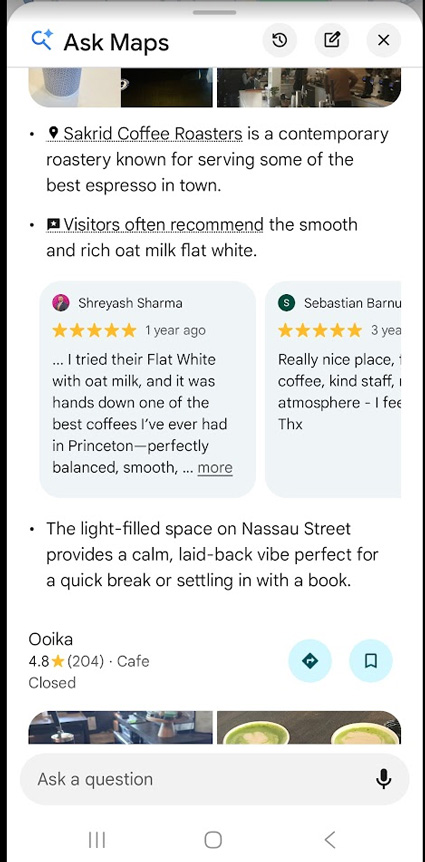
The star icons reveal reviews that you can trigger right within the “Ask Maps” resposne:
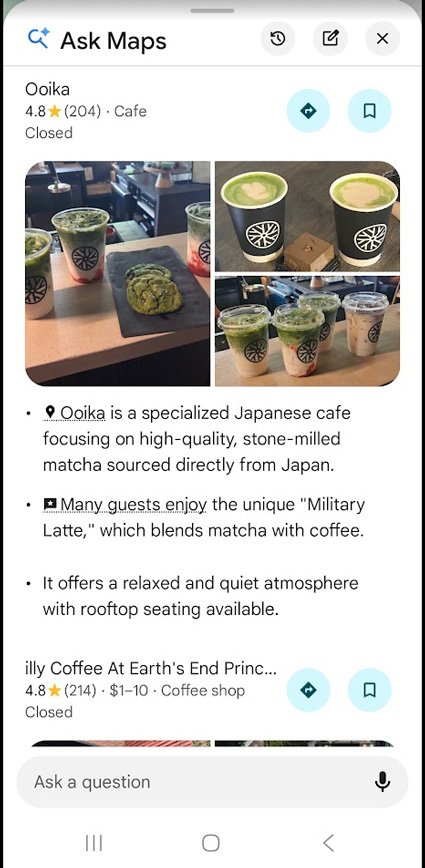
“Ask Maps” then switches to providing movie theatre recommendations since that was part of my initial query:
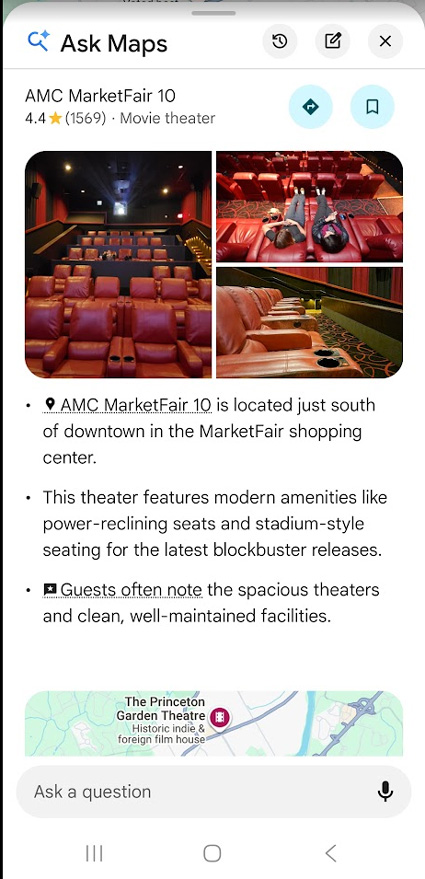
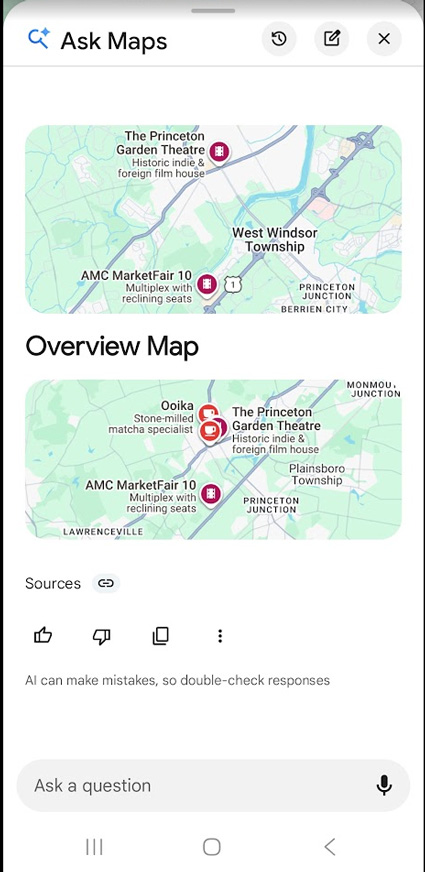
And then “Ask Maps” provides maps including an “Overview Map” containing the coffee shops and the movie theatres:
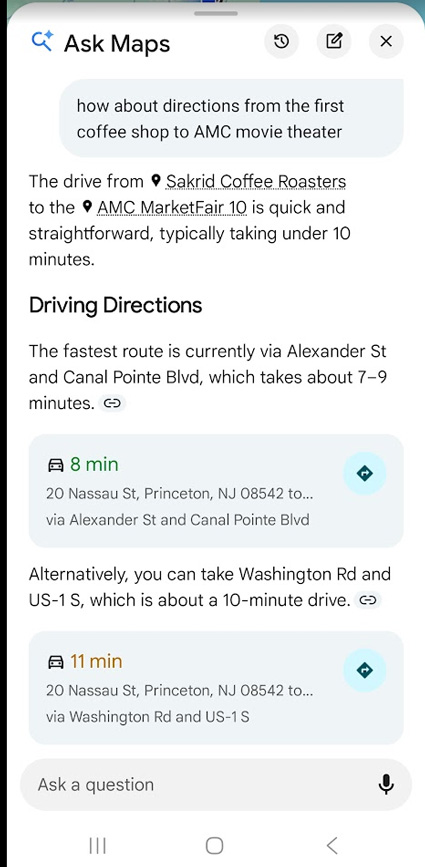
And again, since this is conversational, I asked a follow-up question to get directions from the first coffee shop it recommended to the AMC movie theatre:
I’ll stop there, but I hope you can see the power of a feature like “Ask Maps”. Again, it’s like having AI Mode in Google Maps. Below, I’ll cover some additional points based on the initial call I had with the Google Maps and Gemini team.
Ads – Not yet but not ruled out.
During the initial call with the Gemini team, I asked if ads would be coming to “Ask Maps”. To me, it’s a logical and smart way for Google to provide helpful ads while users are planning out their journey. The Gemini team said ads are not currently part of “Ask Maps” but they are not ruling out ads there. Again, ads make complete sense to me in an environment like this… so I’m sure we will see ads there eventually. But that’s my opinion. Ads are already part of local search, so it wouldn’t be a stretch to include them in “Ask Maps”. So stay tuned on that front.
No integration with Search, AIOs, or AI Mode (yet):
While I was watching the Gemini team demo “Ask Maps”, I couldn’t help but think that Google could easily connect Search, AI Overviews, and AI Mode to “Ask Maps” when it made sense. For example, if someone is planning out a trip via Search or AI Mode, then the search results could have a feature that links directly to “Ask Maps”.
The Gemini team said that’s not part of the initial rollout. That said, I could definitely see a smart integration on that front. Time will tell. Again, stay tuned.
“Ask Maps” Tracking: Standard maps impressions apply.
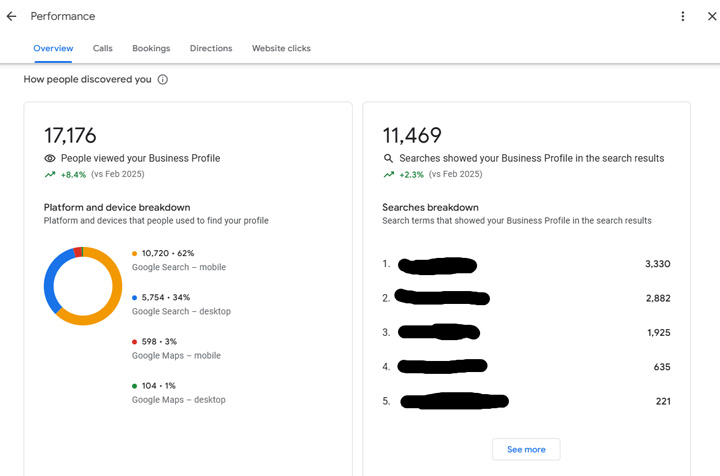
I also asked the Gemini team about tracking for site owners and local businesses. One of the product leads explained that standard impressions apply. So listings showing up in “Ask Maps” would have the same tracking as the default maps listings. Those impressions and clicks don’t show up in Google Search Console (GSC), so I’m assuming he was referring to Google Business Profile (GBP) analytics. Of course, and what’s the case with AIOs and AI Mode, “Ask Maps” is not being broken out as a separate report in analytics. So all impressions, clicks, and calls, will be lumped together and not broken out by surface. At least that’s what I believe. I’ll update this post with more information if I learn something different.
For example, here is Google Business Profile reporting now. It would be awesome if Google added “Ask Maps” as a surface. I’ll try and find out if that’s possible and report back here once I learn more.
Final notes for local business owners:
- For site owners, I recommend digging into “Ask Maps” for targeted queries to see if your business is showing up. Check to see what the AI responses look like, are you being recommended, what does Gemini say about customer sentiment (via reviews), etc.
- Review all of the areas within “Ask Maps” to see how your listing looks, which photos are being surfaced, is the information accurate, and more.
- Check how you ranked in the standard Maps search results for those queries. Are you in better shape in “Ask Maps” or worse?
- Are there citations showing up for those queries and conversations? Are they leading to your site, social media, Reddit, Google itself, or other sources?
- Make sure to try the conversational part of “Ask Maps” by not stopping after one question. String questions together related to your niche and see how Gemini responds. Again, are you there, is the information correct, what does customer sentiment look like, and more.
- Make sure users can complete their journey by booking a reservation, placing an order, etc. For business where that is important, you want to make sure “Ask Maps” is getting it right.
Summary: Gemini Breaks Into Local Search
After testing “Ask Maps” heavily over the past week, it was easy to see how powerful this could be for users. Gemini can help research, organize, and execute versus just returning local listings. And like I explained earlier, I can see Google integrating “Ask Maps” with Search, AI Overviews, and AI Mode. There’s a lot of opportunity to enhance local search, make things easier for users, etc. In addition, it’s easy to see the advertising opportunities within “Ask Maps”. We’ll see how long it takes before that arrives. Stay tuned.
GG